The Terminal Before the Terminal
I went to the World of Retro Computing today, and as you might expect, there was no shortage of old technology. There were Commodore PETs sharing a disk system using the MUPET (Multi-User PET) interconnect from Canadian Micro Distributors (Milton, Ontario), as well as Amiga FPGA implementations such as Minimig and AmiCube. There were vintage computers, video game consoles, a VR section, and enough fascinating hardware components, software, and books to grab your attention.
But as someone who has authored 17 books on UNIX and Linux, my favourite exhibit was a Teletype.
More specifically, Nick Boyko had a Teletype machine connected to a Raspberry Pi running Linux. The connection was a serial cable running at a painfully slow 300 baud, and the Teletype machine was the Linux terminal.
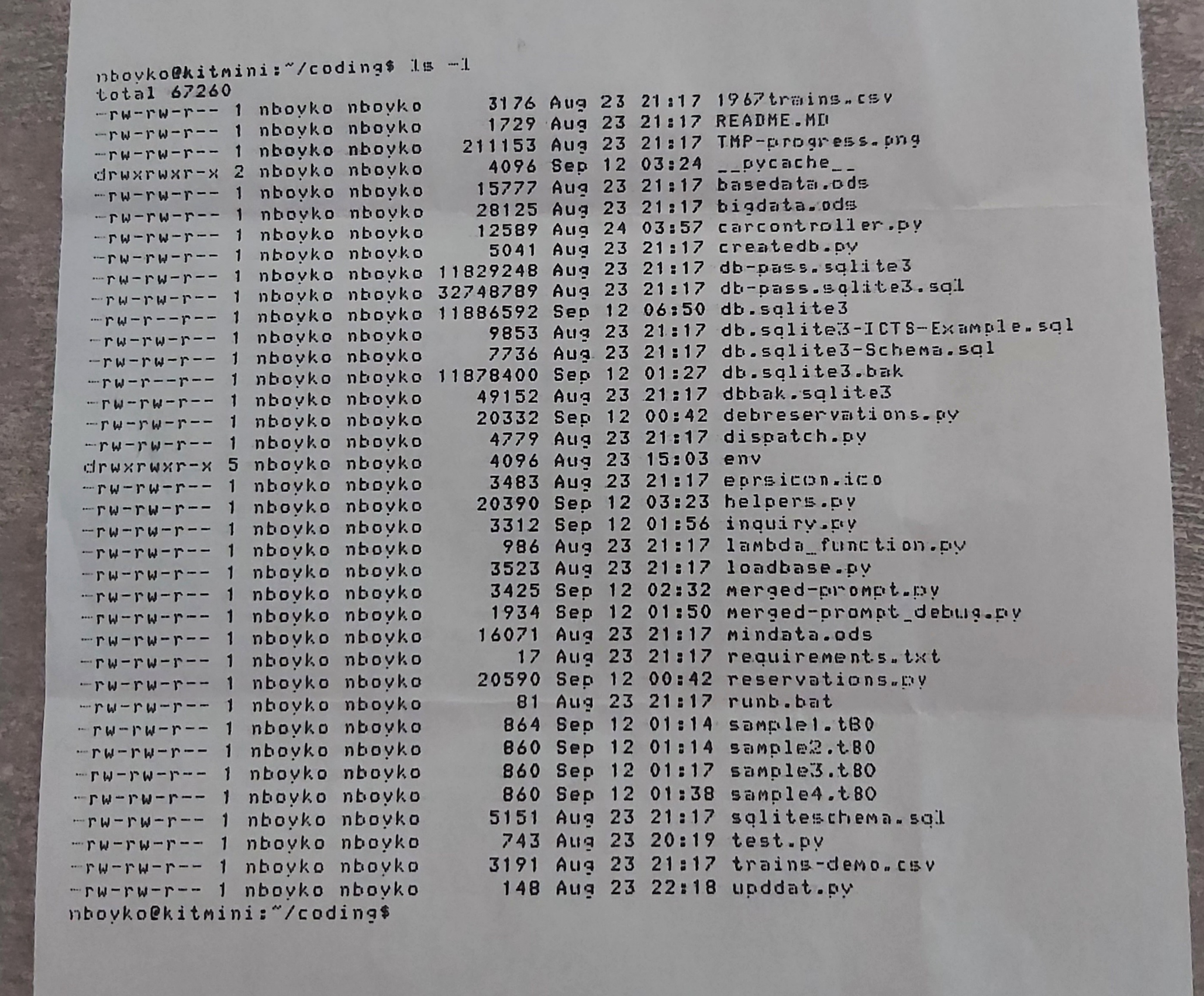
I took a short video of him typing ls -l (at my request). The Teletype dutifully printed the command and sent it across the serial cable to the Linux system. The Linux system returned the directory listing to the Teletype, which then printed it on the paper line-by-line, and then printed the next shell prompt. And all of this happened without a screen, just like in the early days of computing.
Here’s a video showing you how slow it was: https://youtube.com/shorts/EP2OKVsHMrM
I also took a photograph of the resulting paper output.
Today, we take the terminal for granted. It’s basically just a command-line window on a graphical desktop. Maybe it’s GNOME Terminal, Konsole, iTerm2, Windows Terminal, the macOS Terminal.app, or one of the many other terminal apps available today. We click an icon, a window appears, and there is a blinking cursor waiting for us to type something.
But that window isn’t really a terminal… it’s technically an emulation of one… a terminal emulator.
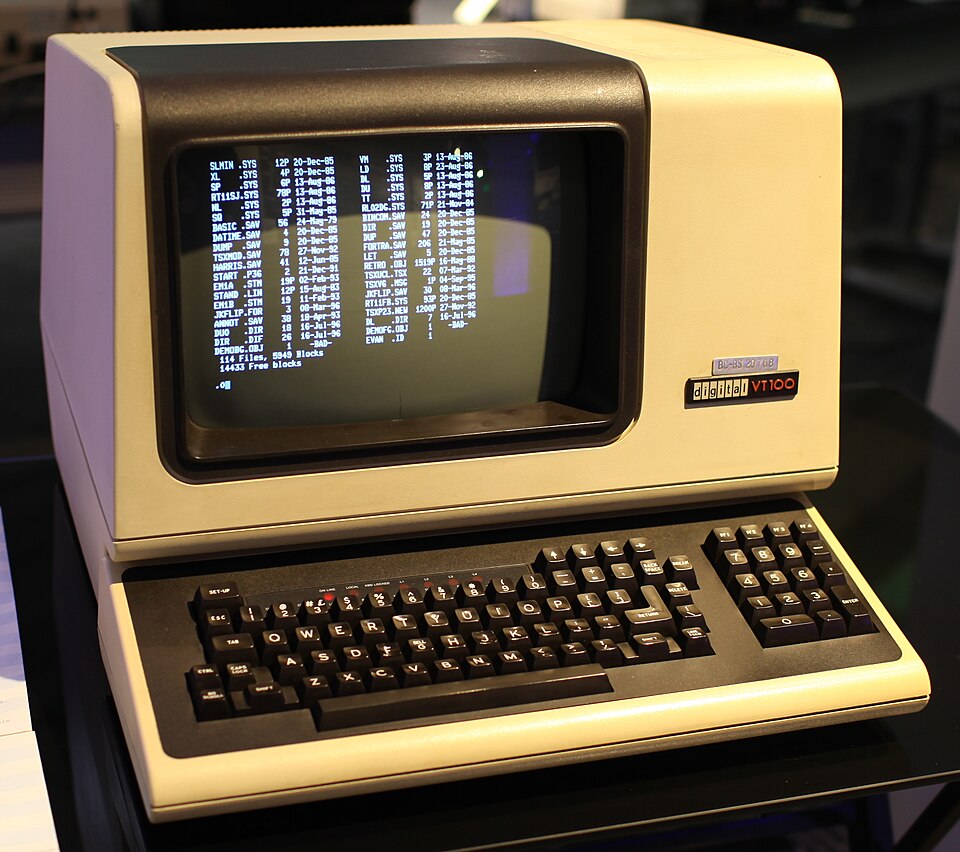
The original terminal started out as a Teletype that connected to your computer via a serial cable. Then the Teletype evolved into a graphical terminal with a cathode ray tube (CRT) display that still connected to your computer via a serial cable, such as the popular DEC VT100:
And then personal computers got video cards and keyboard and mouse ports to allow you to interact with them directly without the use of a serial cable, as well as network interface cards that allowed you to connect to more powerful computers (i.e., servers) across a computer network.
So, when you open a terminal emulator app on your computer today, the operating system creates a pseudo-terminal (a software construct that behaves sufficiently like a traditional terminal that programs can interact with it as though a real terminal were attached) and then provides access to a command-line shell through that. In other words: graphical desktop –> terminal emulator app –> pseudo-terminal –> shell.
When you type the tty command (which is short for Teletype) at a Linux shell prompt, you may see output like /dev/pts/3, which indicates that you are on pseudo-terminal 3. On macOS and UNIX systems, this same command would print something like /dev/ttys003 for the same pseudo-terminal.
Even remote shell sessions using Secure Shell (SSH) use this same structure. When you request an interactive SSH session using the ssh command, the SSH server allocates a pseudo-terminal on the remote system and connects it to your local terminal.
This is one reason I think the Teletype at the retro computing show was particularly appropriate for those of us that use UNIX (including macOS) or Linux. UNIX is the grandfather of all modern operating systems, and grew up in an environment of time-sharing computers and terminals. The idea that many people could sit at terminals and interact with a central computer is fundamental to the history of UNIX. The operating system didn’t need to know whether the thing at the other end of a terminal line was a particular model of Teletype, a CRT-based terminal, or something else entirely. The terminal interface provided an abstraction.
That abstraction turned out to be extraordinarily durable, and is one of the things I love about computing in general. We still talk about files even when there isn’t a physical file. We still talk about disks even when the storage is solid state (and not disk-based). We still talk about “dialing in” even when nobody has dialed anything for decades. And we still talk about terminals when the “terminal” today is just a window on your desktop that emulates an old Teletype, graphically.
Computing has a remarkable talent for preserving metaphors long after the things those metaphors originally described have vanished.
Rock on, Teletype.